Running Hesk in docker
It's never as simple as you want it to be
When I started this blog a few days ago I decided to put it on an Azure VM that I was using as kind of a messy general purpose box.
If I saw this VM in my day job I'd be pretty upset with whoever's been working on it - it's just a shared general purpose webserver with awful internal security and loads of scope for lateral movement if someone were to get a reverse shell.
I was fully prepared to contribute further to that mess, but after trying to setup Ghost while using nvm to juggle different node.js versions for an express api and some other things on there I decided it wasn't worth it and just installed Docker + Portainer.
Then I migrated MySQL into a container, and Ghost was running in a few minutes.
So obviously I have to move everything to docker, because now that I have Portainer as the management interface for this box, I'll immediately forget about everything outside of it.
Enter Hesk - the ticketing system that I use for https://support.antonym.cloud/
Downsides with Hesk include:
- No official docker image
- Hard to customise
- Generally awkward to configure (I'm spoiled by easy laravel & js apps)
But, it looks nicer than osTicket and I'm too stingy to pay for anything else so we'll carry on.
I tried some public images on Docker Hub, but they hadn't been updated in years and I think I set them up wrong soooo I'll just make my own?
The annoying part seems to be getting the actual installation files, the page at https://www.hesk.com/download.php makes you solve a simple math captcha so I can't just curl it from the dockerfile.
Here's the dockerfile, unfortunately you'll have provide the Hesk zip yourself
FROM php:8.2-apache

# Install required extensions
RUN apt-get update && apt-get install -y \
    libpng-dev \
    libjpeg-dev \
    libfreetype6-dev \
    zip \
    unzip \
    && docker-php-ext-configure gd --with-freetype --with-jpeg \
    && docker-php-ext-install gd mysqli pdo pdo_mysql \
    && a2enmod rewrite \
    && rm -rf /var/lib/apt/lists/*

WORKDIR /var/www/html

# Copy locally downloaded HESK
COPY hesk.zip /tmp/hesk.zip

# Extract HESK
RUN unzip /tmp/hesk.zip -d /var/www/html \
    && rm /tmp/hesk.zip \
    && chown -R www-data:www-data /var/www/html \
    && chmod -R 755 /var/www/html

# Create attachments and cache directories
RUN mkdir -p /var/www/html/attachments /var/www/html/cache \
    && chown -R www-data:www-data /var/www/html/attachments /var/www/html/cache

EXPOSE 80

CMD ["apache2-foreground"]
Then just build using the version number that you downloaded
docker build -t hesk:3.4.3 .And once that works completely with no errors (probably) run it as a stack in Portainer, or as a docker-compose file
version: '3.8'

services:
  hesk:
    image: hesk:3.4.3
    container_name: hesk
    ports:
      - "8080:80"
    entrypoint: /bin/bash -c "rm -rf /var/www/html/install && apache2-foreground"
    volumes:
      - /docker-stack/hesk/attachments:/var/www/html/attachments
      - /docker-stack/hesk/cache:/var/www/html/cache
      - /docker-stack/hesk/hesk_settings.inc.php:/var/www/html/hesk_settings.inc.php
    restart: unless-stopped
    networks:
      - backend

networks:
  backend:
    external: true
In this compose file I'm mapping the attachments and cache to a path on the host filesystem, and I'm passing through the hesk_settings_inc.php config file because I just like it that way 🤷🏻♂️
Nginx still lives on the host so I just modified it from a php server to a reverse proxy setup and away we go
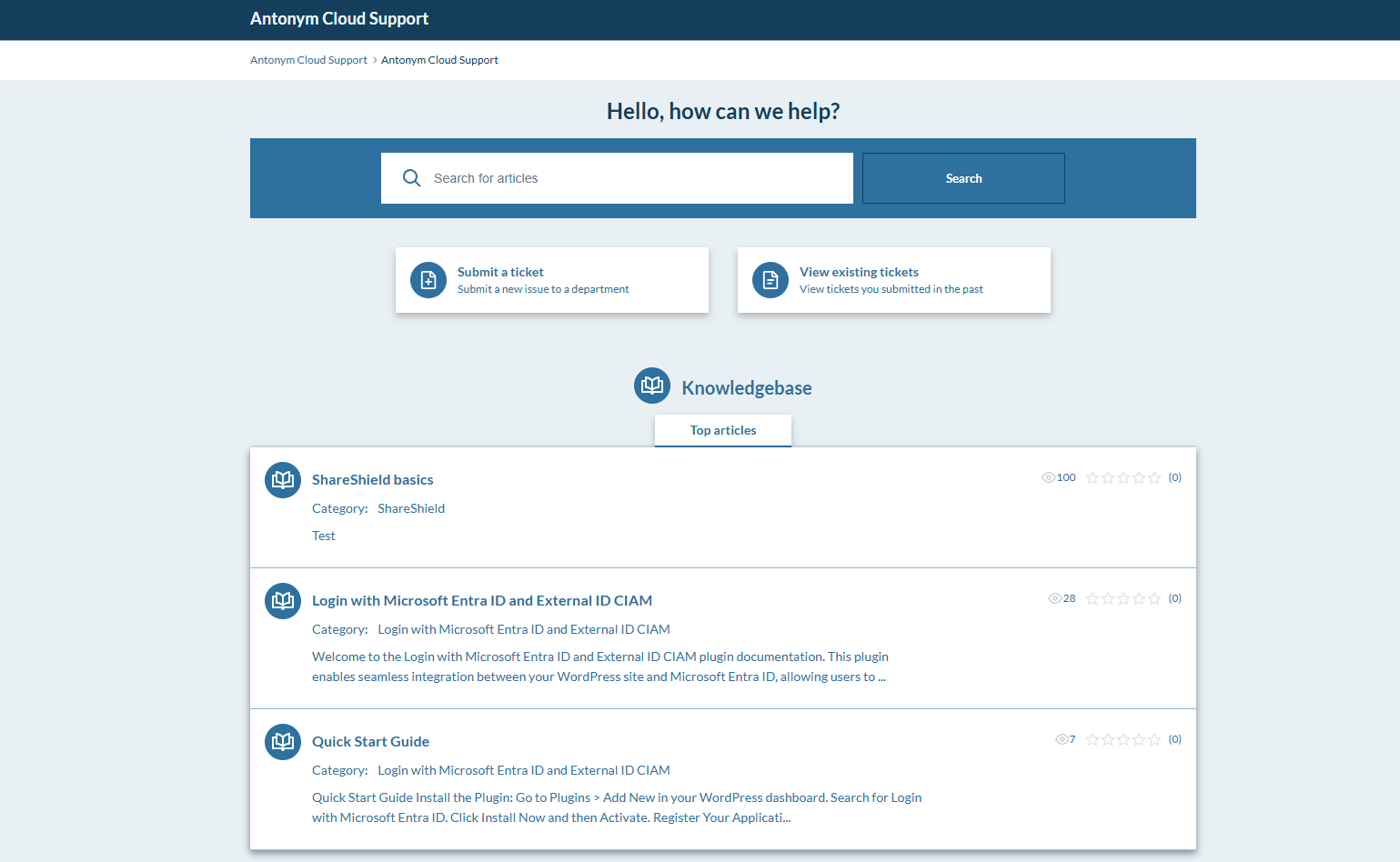
I lost my favicon & custom branding that I did on some of the CSS, but at the same time this is a space for people to report issues so I can live without all that as long as people can reach me.
Another thing
This was all I needed to migrate my existing install, but for either a new install/upgrades to new versions, you gotta remove that entrypoint line in the compose file.
entrypoint: /bin/bash -c "rm -rf /var/www/html/install && apache2-foreground"Comment this out if you're doing a version update or first-time setup
I'll probably revisit this when I become desperate for theme support and favicons and branding, but right now I have 2 Wordpress sites that need migrating.
Subscribe for more of this